If you’re current with your Windows updates, you might be aware that . The company detailed in their article why Windows 11 includes TPM 2.0 among its essential criteria, highlighting benefits such as enhanced data encryption, validation of software integrity, and protection against hackers.
Sure, so that’s what TPM 2.0 does… but what exactly is it? Why must those with older processors replace their hardware to use it instead of being able to simply install TPM 2.0 on their PCs? Let’s dive into this topic.
What exactly is TPM 2.0, and where can you find it?
Why the limitation in Windows 11 affects such a large number of people.

TPM refers to ” Trusted Platform Module,” and
It’s a tangible microchip situated.
In your PC. For the Windows 11 system requirements, it searches for a TPM 2.0 module embedded in your processor.
As you could probably guess, this poses challenges for individuals lacking a TPM 2.0 chip when trying to meet Microsoft’s criteria. You cannot simply purchase and install one of these modules on older processors; they must come equipped with the TPM 2.0 feature from the factory.
Microsoft’s choice to bar computers lacking a TPM 2.0 chip from updating has sparked significant controversy. Despite the fact that these processors function perfectly well and can manage Windows 11 adequately, particularly if they’re modern CPUs. Nevertheless, due to the absence of a TPM 2.0 component, Microsoft suggests discarding them for newer models, an approach deemed quite inefficient.
What is the function of TPM 2.0?
The rationale for the chip

Regarding the function of this chip, it assists in storing all the data you prefer not to keep on your computer’s hard drives. Due to the additional layer of security, information kept inside the TPM module becomes more difficult for a cybercriminal to decrypt compared to if it were simply saved on your C: drive.
For instance, the TPM module stores all the cryptographic keys used for encrypting your drive during startup. When you initiate this process, the TPM verifies whether these keys align with the encryption requirements. If they match, it permits the normal continuation of the boot sequence. Additionally, sensitive personal information like your biometric data, passwords, and further encryption keys are kept within the TPM.
Why does Windows 11 even need TPM 2.0?
Why is it so important?
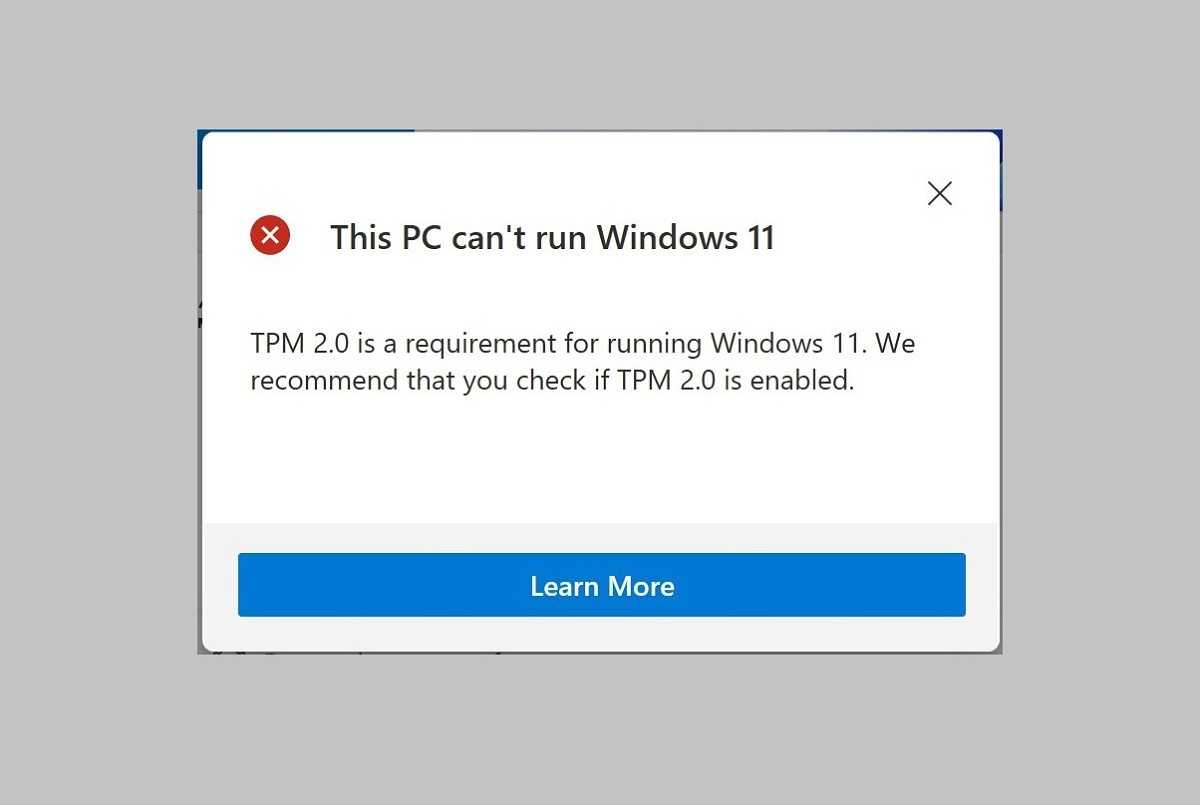
As we delve into understanding why Windows 11 necessitates TPM 2.0, we venture into territory filled with conjecture and hearsay. Since those not directly involved weren’t privy to the discussions during the decision-making process at the company, the precise reasoning might remain unknown. Nonetheless, we can ponder various possibilities.
The first option is that Microsoft
genuinely believed Windows 11
required
TPM 2.0 as part of its security plans. It claims that its services, such as Windows Hello (which uses biometric logins) and Secure Boot, both use TPM 2.0 specifically to get the job done on Windows 11. If we invest in this theory, then we can read all of the company’s motives on its blog post titled ”
TPM 2.0 – essential for ensuring security and future-readiness in Windows 11
Here’s how Microsoft describes the necessity of TPM 2.0:
Today.
TPM 2.0 plays a crucial role in addressing contemporary cybersecurity threats due to its enhanced support for complex encryption methods and additional cryptographic features. Therefore, disabling TPM verifications on Windows 11 devices is unadvisable. By leveraging TPM capabilities for both hardware-driven endpoint protection andZeroTrust principles, businesses can significantly reduce major security vulnerabilities and the risk of data leaks.
Tomorrow.
TPM 2.0 aids in future-proofing Windows 11 by safeguarding critical data as AI features expand across physical, cloud, and server infrastructures. This heightened security provides multiple advantages towards meeting various compliance objectives over time. It equips you with readiness for changing regulatory requirements and optimal industry standards.By implementing TPM 2.0 as an essential requirement for the upcoming versions of Windows, we raise the bar for security standards. This enables both you and us to meet the increasing demand for robust data protection in today’s digital landscape.
The alternative perspective leans towards being somewhat pessimistic. It suggests that Microsoft aimed at boosting hardware sales, hence they imposed the stringent TPM 2.0 requirement to compel individuals into buying newer machines. Considering their ownership of Surface devices (as well as the recent introduction of Copilot+), this theory seems plausible.
However, again, it’s worth noting that we can’t say for sure which way Microsoft’s motives lie.
Love it or hate it, TPM 2.0 is not going away
Therefore, is TPM 2.0 an essential component for Windows 11, or just a reason for folks to buy newer PCs? The answer isn’t clear yet. In any case, you’re now aware of what TPM 2.0 entails, its functions, and why Windows 11 requires it.